Why you shouldn't make flashcards while reading
Making flashcards while reading a textbook for the first time creates fragmented cards and breaks your cognitive flow. Learn why a two-pass system works better.
If you have ever spent three hours on a single chapter of a textbook and walked away feeling like you learned nothing, you likely fell into the "live encoding" trap.
You read a sentence, realize it is important, alt-tab to your flashcard app, and type out a question. You go back to the PDF, read the next paragraph, and repeat. By the time you finish the chapter, you have fifty cards and zero understanding of how the concepts actually connect.
I work on Nebulearn, so I spend a lot of time thinking about the bottleneck between a PDF and a memory. That is a conflict of interest. The tax is not hitting a key. The tax is leaving the page to become an editor.
Before we look at how to fix your workflow, we need to define the difference between understanding and encoding.
The Flow-Break tax
Understanding a complex system requires sustained focus. When you read about how a transformer model handles self-attention or how the kidney regulates blood pressure, you are building a fragile mental map. Every time you stop to format a flashcard, you set that map on fire.
Psychologists often refer to "switching costs." Even if you think you are multitasking, your brain is actually burning energy to re-orient itself between two different modes:
- The Synthesis Mode: You are trying to see the big picture. You are connecting the current paragraph to the one you read ten minutes ago.
- The Editorial Mode: You are thinking about card atomic-ness, Cloze deletions, and whether the question is too wordy.
When you mix these, you pay the "Flow-Break" tax. You never reach the depth of focus required for true synthesis because you are constantly interrupting yourself to perform manual data entry.
Why context-less cards feel like trivia
The biggest problem with cards made on the first pass is that they lack hierarchy. When you are reading something for the first time, you do not yet know what the "hinge" concepts are. Everything feels equally important, so you make cards for everything.
Three weeks later, when those cards show up in your due queue, they feel like disjointed trivia. You might remember that "the mitochondria is the powerhouse of the cell," but you have forgotten why that mattered in the context of the larger metabolic pathway you were studying.
Cards created during a first pass are almost always "fragmented." They capture the definition of a word but miss the relationship between concepts. To make effective cards, you need to understand the whole chapter so you can decide which 20% of the information is the foundation for the other 80%.
Pass 1: Understanding vs Pass 2: Encoding
The most efficient way to handle a textbook is to split your session into two distinct phases.
In the first pass, do not open Anki or Quizlet. Stay on the page. Your job is to follow the author's logic until you reach the end of a section or chapter. If you hit a sentence that seems like a perfect flashcard candidate, do not become an editor yet.
In the second pass, you return to the material with the benefit of hindsight. Now that you know how the chapter ends, you can see which details were actually supporting evidence and which were core principles. This is the stage where you decide how to use flashcards effectively by only targeting the "load-bearing" facts.
| Phase | Goal | Tool | Cognitive Load |
|---|---|---|---|
| Pass 1 | Build a mental model | Stay on the page | High (Synthesis) |
| Pass 2 | Extract memory cues | Flashcard software | Medium (Formatting) |
| Pass 3 | Long-term retention | Spaced repetition | Low (Recall) |
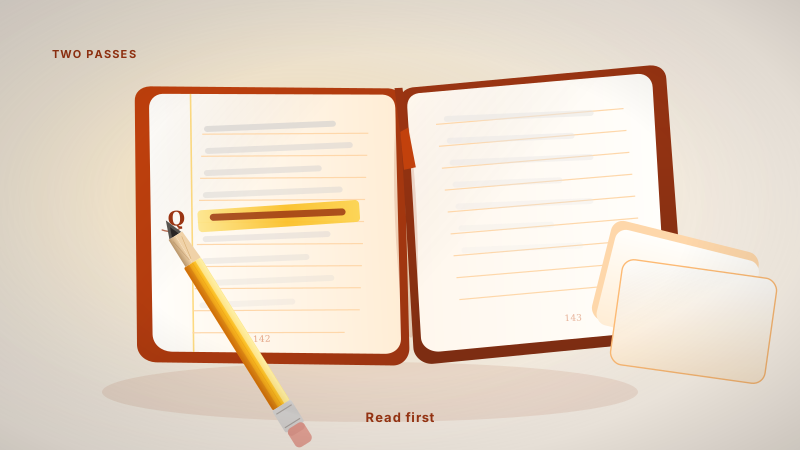
Stay on the page can mean a margin "Q", a highlight, or a one-key save that never leaves the paragraph. It cannot mean a second window where you start writing Cloze syntax.
The Margin Note bridge
If you are worried about forgetting what to turn into a card, use the "Margin Note" bridge. Instead of opening Anki or Quizlet, use a PDF annotator to drop a quick symbol or a one-word note next to key paragraphs.
A simple "Q" in the margin tells your future self: "There is a high-value question here."
This keeps you in the PDF. It keeps your eyes on the diagrams. It allows you to finish the chapter in 45 minutes instead of three hours. Once you have finished the reading and your brain has a "skeleton" of the topic, you can go back to those "Q" marks and batch-create your cards.
This batching is significantly faster. Because you are already in "Editorial Mode," you can fly through the creation process without the friction of trying to understand the material at the same time.
Keep the PDF open for pass two
The second pass is faster if the page stays on screen while you write the card. When I used Anki for this, I was constantly resizing windows to see my lecture slides and my card editor at the same time.
If you are using a tool that forces you to jump between tabs, you are more likely to revert to making cards "live" just to get it over with. The same problem shows up when you make flashcards from a PDF: you need the source and the editor in one view.
I designed the web app for this second pass. You upload your PDF, and it sits on the left while your editor sits on the right. You can scroll through your margin notes from Pass 1 and quickly generate cards for Pass 2.
This separation of concerns is what prevents the "trivia" problem. By the time you are typing the card, you already know the context. You aren't just transcribing; you are encoding vs reading.
The exception: capture that stays on the page
The rule is about becoming an editor. Alt-tab into Anki, write a Cloze, fight with formatting. That is the Flow-Break tax.
Highlighting a sentence and parking it without leaving the paragraph is not that job. You are still looking at the same sentence. You are not rewriting it into a "good card" yet. You are not paying the window-switch.
That is the exception. The Chrome extension stays on the page: highlight, snip, or a keybind. You are not opening Anki to become an editor. The editorial work can wait until Pass 2, or you can save a fact that was already a fact. I wrote that capture workflow in the best way to make flashcards. It is free on the Chrome Web Store.
High-volume, low-complexity lists are still a second exception. If you are reading 50 vocabulary words or anatomy labels where there is no system to understand, live clipping is fine. There is no mental model to break.
But for engineering, medicine, law, or any field where the "why" matters as much as the "what," opening Anki mid-paragraph is how you get a bloated, confusing deck.
If you find yourself struggling to keep up with your reviews, the problem might not be your memory. It might be that you are trying to memorize things you haven't actually understood yet. Give yourself permission to just read. Save the sentence if the save costs nothing. Write the card after you know what the chapter was doing.