How to Make Flashcards from a PDF (Step-by-Step Guide)
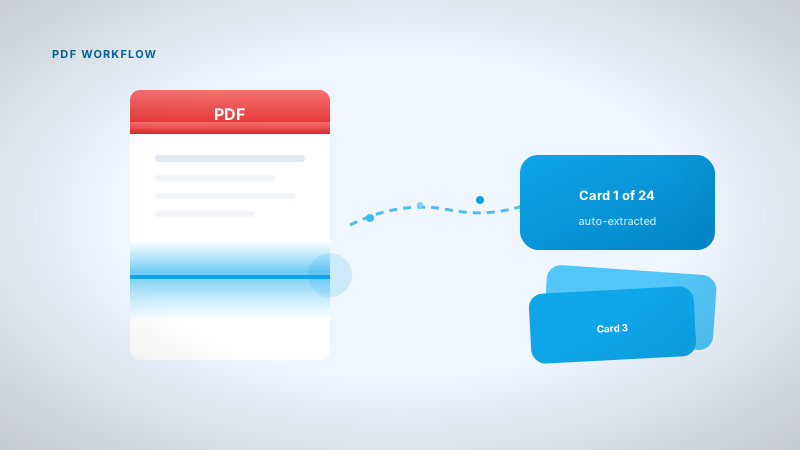
PDF to flashcards workflow with realistic time estimates — scope, edit, tag, review, and how other tools compare.
Most students have a Downloads folder full of Lecture_8_v3_FINAL.pdf files that got highlighted once and never reviewed. Highlighting feels productive. Recall on the bus doesn't happen until you turn the PDF into small, testable cards.
This is the workflow I use for engineering lectures at UofT. Total time from PDF drop to first real review: usually under 30 minutes if you scope correctly.
Card quality rules: how to use flashcards effectively. App comparison: best Anki alternatives.
Tools (honest comparison)
| Tool | PDF → cards | Typical time per lecture | Ads on free? |
|---|---|---|---|
| Nebulearn | AI draft, you edit | ~15–30 min total | No |
| Knowt | AI import | Similar + ads during review | Yes |
| Quizlet | Manual or limited AI | Long if typing; search if lucky | Yes |
| Brainscape | Manual typing | 1–3 hours | No (own cards) |
| Anki | Manual typing | 1–3 hours | No |
Step 1: Scope to one chunk
Uploading a 200-page textbook gives you 400 sloppy cards and digital guilt. Scope to what the next exam actually covers:
- This week's slides only
- One chapter
- One syllabus unit (e.g. weeks 4–6)
One lecture PDF is usually 40–80 cards after editing. That's a Monday night, not a Sunday crisis.
Step 2: Generate a draft (don't study it yet)
On Nebulearn: Create → Generate → upload the file.
The AI pulls headings, definitions, repeated prof phrases. Output is a draft. Vague cards, duplicates, occasional "discuss slide 12" garbage. Normal.
Free limits: 20 AI generations/week, 300 saved questions. One lecture ≈ one generation.
Knowt / Quizlet: Similar AI on Knowt (ads during review). Quizlet weak for custom PDF unless you type manually or get lucky with a public set.
Anki / Brainscape: Read PDF, type cards. Free, no ads, costs your evening.
Step 3: Edit for 10–20 minutes (non-negotiable)
This step is where most people skip and then blame the app.
Delete:
- Slide title cards ("Chapter 4 overview")
- Figure caption cards that won't be on the exam
- Duplicates
Split:
- Any answer longer than one sentence → multiple cards
- "Explain the Krebs cycle" → one step per card
Fix:
- "Important enzyme" → name the enzyme
- "What does the prof emphasize?" → specific question with specific answer
I skim-edit once and still got burned on a biochem midterm. Now I treat first-pass editing as part of studying, not optional cleanup.
Step 4: Tag and folder
One folder per course. Tags per exam chunk: midterm-2-thermo, week-5-circuits.
Before the midterm, filter to only that tag. After the exam, archive it so it leaves your daily queue.
Full tagging rationale: flashcard guide.
Step 5: Review (this is studying)
Generating cards feels like progress. It isn't. Reviewing is studying.
First week target: 15 minutes/day on the FSRS queue. Cards you miss come back tomorrow. Easy ones wait longer. What is FSRS.
Exam week: reviews only. No new cards. Your pile is big enough.
Common PDF → card mistakes
| Mistake | Fix |
|---|---|
| Whole textbook upload | One week / one unit |
| Study draft without editing | 10–20 min edit first |
| Cards from unread PDF | Skim lecture once before generating |
| Giant combo cards | Split to one idea each |
| Generate once, never review | 15 min/day minimum |
Paid tiers (when free stops being enough)
Pay when you hit AI caps during midterms, not on day one because a banner said "unlimited."
| Tool | Free limit | Paid |
|---|---|---|
| Nebulearn | 20 AI/wk, 300 Qs | ~$40–66/yr |
| Knowt | Ads, AI caps | Ultra ~$10+/mo |
| Quizlet | Ads, limited AI | Plus ~$36/yr |
Checklist
- One scoped PDF section for the next test
- Draft generated
- 10–20 min edit (split, delete, fix)
- Folder + exam tag set
- First review scheduled this week
Same night the slides drop, you can have a working deck. Won't be perfect. Will be reviewable.