Nebulearn vs Anki: Which Should You Use in 2026?
Nebulearn vs Anki: time cost, collaboration, FSRS setup, and when each one fits.
Anki is good software. I tried it in first year, bounced off the setup, came back later when I understood why people swear by it.
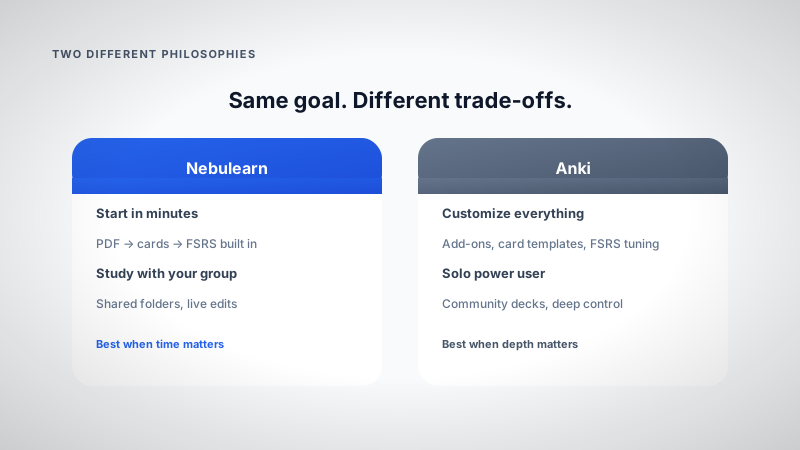
The real question isn't "which algorithm is better." It's whether you want to invest time learning a system, or get to review faster on this week's PDF.
I work on Nebulearn now. I still think Anki is the right call for a lot of people. This is when I'd pick each.
More context: best Anki alternatives · what is FSRS
Side by side
| Nebulearn | Anki | |
|---|---|---|
| Price | Free tier, Premium ~$40/yr | Desktop free, iOS ~$25 one-time |
| Time to first review | ~15–30 min (upload + edit) | Hours to days (setup + typing) |
| AI from PDF | Built in | Manual or add-ons |
| SRS | FSRS default, SM-2, Leitner | SM-2 default, FSRS in settings |
| Collaboration | Live shared folders | .apkg exports, AnkiHub (~$6/mo) |
| Customization | Good | Essentially unlimited |
| Best for | PDF classes, study groups | Solo, med school, tweakers |
The hidden cost: time, not money
Anki desktop is free. The price is hours.
| Task | Nebulearn (typical) | Anki (typical) |
|---|---|---|
| First-time app setup | Minutes | 1–3 hours (decks, sync, add-ons) |
| Cards from 40-slide PDF | ~15 min edit after AI draft | 1–3 hours typing (or add-on hunt) |
| Share deck with 3 classmates | Share folder link | Export .apkg, version chaos |
| Enable FSRS | Default | Settings or add-on, then tune |
| Solo review at scale | Good | Excellent |
If you enjoy the Anki setup process, that time isn't a cost. It's the product. If you don't, it's why people search "Anki alternative" in the first place.
Same lecture, two workflows
Nebulearn: Upload week's PDF → edit 40–80 draft cards (split big ones, delete slide-title junk) → tag midterm-2 → review 15 min/day with FSRS. Study group can edit the same folder; each person keeps their own schedule.
Anki: Read PDF on one monitor → type cards (or copy-paste and format) → organize decks and note types → configure sync across devices → review with FSRS after setup. Share by exporting; recipients import a snapshot that goes stale the moment someone fixes a typo.
Both can run FSRS. The split is creation + collaboration friction, not algorithm religion.
What frustrated me about Anki
Learning curve. Decks, note types, sync, add-ons. You can study in week one but optimal setup takes longer.
Manual card creation. No native PDF → cards. Sunday night PDF drops hurt if cards aren't already built.
Interface. Functional, dated. Common complaint, less important than workflow for most students.
Add-on rabbit hole. FSRS, styling, importers, stats. Power users love it. Casual users bounce.
Collaboration. Export/import cycles. "Who has the latest deck?" AnkiHub helps for big community libraries (AnKing), not typical undergrad group edits on this week's slides.
Sync setup. Desktop + AnkiWeb + mobile. Works once configured. Getting there frustrates people.
What Anki is genuinely great at
Community decks. AnKing, languages, certifications. Download and grind.
Customization. Card templates, scheduling knobs, add-ons. Nothing else matches depth.
Solo retention at scale. Thousands of cards, offline, your exact setup.
Already invested. Hundreds of hours in working decks? Switching cost is real. Stay.
What Nebulearn is built for
PDF → draft deck → FSRS tonight. Shared folders for study groups. Less configuration before review starts.
Not trying to beat Anki on infinite customization. Trying to remove setup tax for weekly lecture PDFs.
You can use both
Anki for one long-term deck (MCAT, language). Nebulearn for weekly course PDFs with classmates. Normal.
Pricing
Nebulearn: Free — 300 questions, 20 AI/week, no ads. Premium ~$40/yr, Platinum ~$66/yr.
Anki: Desktop free. iOS ~$25 one-time. AnkiDroid free. AnkiHub ~$6/mo for collaborative community decks.
How to decide
Anki: solo study, love customization, community decks, already deep in the ecosystem.
Nebulearn: PDF-heavy classes, study groups, want FSRS without setup week.
Run one exam cycle on whichever you're unsure about. The right answer is whichever app you actually open the night before the test.
I work on Nebulearn.