Stop making flashcards for things you already know
How many flashcards is too many? Learn how to identify card bloat and use the Common Sense filter to keep your review queue manageable.
A litle about me before we start. My name is Daniel. I'm a third year engineering science student at UofT. I spend most of my day looking at machine intelligence papers and trying not to drown in my own course load.
I also work on Nebulearn. Because I built the tool, I have a clear conflict of interest. I want you to use it, but I also want you to stop wasting time on the wrong cards regardless of which app you pick.
One of the biggest mistakes I made in my first year was thinking that a "complete" deck meant a card for every single sentence in the lecture notes. I thought I was being thorough. In reality, I was just building a mountain of busywork that I eventually stopped climbing.
What is card bloat
Card bloat is the accumulation of flashcards that cover concepts you already understand intuitively. It happens when you stop being a curator and start being a transcriber.
When you create a card for something obvious, you aren't just adding five seconds to your creation time. You are adding a lifetime of recurring reviews for a fact you were never going to forget. Spaced repetition algorithms like FSRS or SM-2 are designed to push difficult facts into your long term memory. If the fact is already there, the algorithm is just a calendar reminder to tell you that water is wet.
If you find yourself hitting "Easy" on fifty cards in a row, you don't have a high IQ. You have card bloat.
How many flashcards is too many
The limit isn't a specific number like 50 or 500. The limit is your daily review capacity.
Most students can handle about 20 to 50 new cards a day if they are well written. If you are adding 200 cards per lecture, your "due" queue will explode within a week. You will start skipping days. Once you skip two days and see a backlog of 800 cards, you'll probably quit the deck entirely.
The goal is to keep the "due" list high-density. Every card should represent a genuine risk of forgetting. If you want to see how to structure these properly, check out my guide on how to write flashcards that stick.
The Common Sense filter
Before you hit save on a card, you need to run it through a filter. I call this the Common Sense filter. It consists of three questions you should ask yourself during the creation phase.
First, would I still know this in a month if I never saw this card again? If the answer is yes, delete the card. Second, is this a fundamental concept or just a redundant example? You need the principle, not every single variation of it. Third, is the effort of reviewing this card higher than the cost of just looking it up if I happen to forget it?
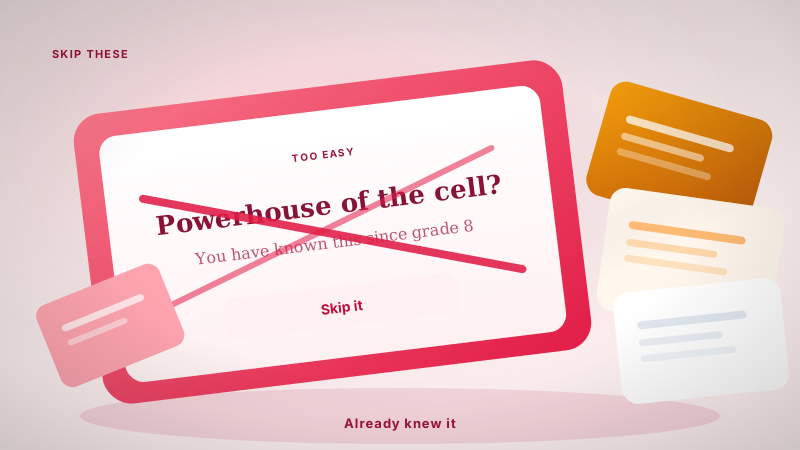
I see this often in flashcard mistakes students make. They make cards for things like "Mitochondria is the powerhouse of the cell" in a third year biology course. You know that. You've known that since middle school. It doesn't need a slot in your database.
Why creation speed is a trap
When an app makes it too easy to create cards, it encourages you to make bad ones.
If you use a tool that automatically generates cards from a PDF, it is very tempting to just "Select All" and import. This is where bloat starts. You feel like you saved time because you didn't have to type, but you've actually committed yourself to months of reviewing garbage.
I work on Nebulearn, and this was one of the hardest things to balance. The generator will happily draft cards from a PDF. Skip and ignore are there so you do not keep the 85 you already know. The goal isn't 100 cards from a 20 page lecture. It is the 15 concepts that will actually trip you on the midterm.
Pruning your deck
If you already have a bloated deck, you don't have to delete the whole thing. You need to prune.
Most apps allow you to "Suspend" or "Bury" cards. If you see a card that makes you roll your eyes because it is so easy, do not hit "Easy." Suspend it. Remove it from the rotation entirely.
Anki is great for this if you have the patience for the desktop interface. If you're on iOS, AnkiMobile costs about $25, but it gives you full control over your card states. If you prefer a more modern workflow, I've written about how to use flashcards effectively using different systems.
| Strategy | When to use it | Why it works |
|---|---|---|
| The Skip Rule | During creation | Prevents the card from ever entering your queue. |
| Suspending | During review | Removes "leech" cards or easy cards that waste time. |
| Deck Splitting | Before exams | Separates "Foundational" facts from "Cram" details. |
Keeping the queue lean
A lean queue is a sustainable queue. When your daily reviews take 15 minutes instead of 60, you are much more likely to actually do them.
I've found that the more I trust my own intuition about what I already know, the more I enjoy studying. Flashcards should be a surgical tool, not a blunt instrument. If you treat your memory like a finite resource, you'll start being much more selective about what you let inside.
If you are currently struggling with a massive backlog, stop adding new cards today. Spend three days just reviewing and suspending anything that feels like common sense. You'll be surprised how much of that "too many cards" feeling is just fluff.