Why your Anki queue is 400 cards
Your Anki review backlog isn't just a motivation problem. It is usually a math problem involving new cards, ease hell, and your scheduler settings.
You open Anki on a Tuesday morning and see 400 cards due. You didn't even miss a day. You just added a few dozen cards from a lecture yesterday, and now the queue looks like a part-time job.
If you feel like you are drowning in reviews, it is usually because of a specific math error in how you set up your deck. Spaced repetition is meant to reduce your workload over time, not create a snowball that eventually crushes you.
I work on Nebulearn, but I spent years using Anki for my engineering courses at UofT. I have seen exactly how a "clean" deck turns into a 500-card daily nightmare. Most people try to solve this by "grinding harder," but you can actually fix the queue by changing how you treat new cards and how you handle the cards you keep getting wrong.
The ratio of new cards to due cards
The fastest way to break Anki is to set your "New cards/day" limit too high. Every new card you learn today is a guaranteed review tomorrow, then another in four days, then another in ten.
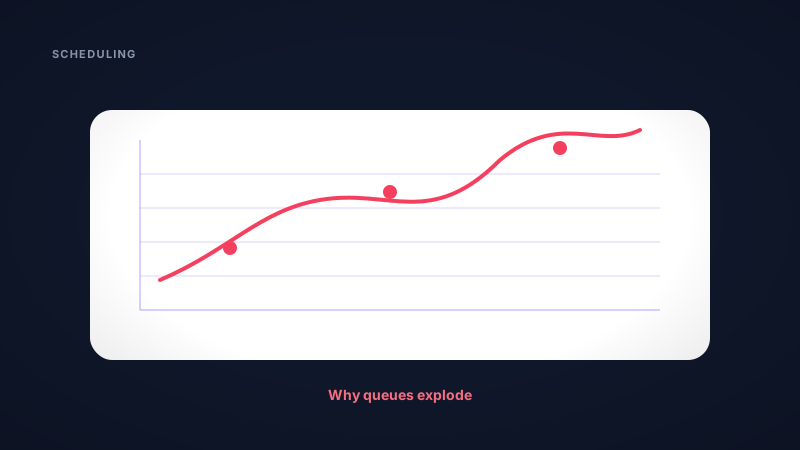
When you add 20 new cards a day, you aren't just doing 20 cards. You are adding 20 daily recurring tasks to a pile that is already growing. Within a month, those 20 new cards can easily balloon into 150 daily reviews. This is the difference between new vs due cards in spaced repetition. If your "due" pile is consistently over 200, your "new" limit is likely the culprit.
Ease hell and the penalty of being wrong
Anki uses a hidden number for every card called "Ease." By default, it starts at 250%. Every time you hit "Again" because you forgot a card, Anki drops that Ease value.
The problem is that if you forget a card a few times in a row, the Ease stays low forever. This means the card will show up again and again at very short intervals, even after you finally learn it. This is "Ease Hell." You end up seeing the same 50 cards every single morning because Anki thinks you are struggling with them, even if you just had one bad week. These "leeches" eat up the time you should be spending on new material.
To stop this, you need to look at your "Lapses" settings. If a card is consistently failing, it is better to suspend it or rewrite it than to let it sit in your queue forever. You can also look into what FSRS is, which is a newer scheduler that handles these calculations much better than the old SM-2 default.
Why your desired retention is too high
In your Anki deck options, you might be tempted to aim for 95% or 99% retention. It sounds logical: you want to remember everything.
However, the "cost" of moving from 90% retention to 95% retention is not a 5% increase in work. It is often a 50% or 100% increase in reviews. To remember that extra 5%, the scheduler has to show you every card much more frequently. If you are a medical student using a massive deck like AnKing, this is often where the "review hell" starts. For most university courses, aiming for 85% to 90% is the sweet spot where you remember enough to pass the exam without spending four hours a day in the app.
How to fix a 400 card backlog
If you are already in the hole, do not try to finish the whole queue in one sitting. You will burn out and never open the app again.
First, set your "New cards/day" to zero. You are not allowed to learn new things until the old things are under control. Second, use the "Filter" or "Cram" mode to pull out only the cards due today. If you have a backlog of 1,000 cards, tell Anki to show you only 100 of the oldest ones. Tackling the pile in small, 100-card chunks over a week is much more sustainable than a Sunday marathon.
You should also check where Anki spends your time. If you are spending 30 seconds per card because they are too long or complex, no scheduler fix will save you.
When to stay and when to switch
Anki is the gold standard for long-term, high-stakes decks. If you are using AnKing or a massive pre-made deck that you plan to use for three years, you should stay in Anki. The effort of fixing your settings is worth it because the ecosystem of add-ons and shared decks is unbeatable for that specific use case.
However, Anki is often overkill for a 12-week semester course. If you find yourself spending more time "managing" the app,fixing Ease Hell, adjusting intervals, and fighting the UI,than actually studying, the tool has become the bottleneck.
I built Nebulearn because I wanted a middle ground. I wanted the power of a real scheduler (we use FSRS by default) without the manual configuration of Anki. In Nebulearn, you don't have to worry about Ease Hell or setting "New card" limits. We handle the queue balance for you, so you can just focus on uploading your lecture PDF and getting through the week.
If you are an iPhone user, AnkiMobile is about $25 one-time, while AnkiDroid and the desktop version are free. Nebulearn has a free tier with 1,000 saved questions and 40 weekly AI credits, which is usually enough to cover a full semester of heavy lifting.