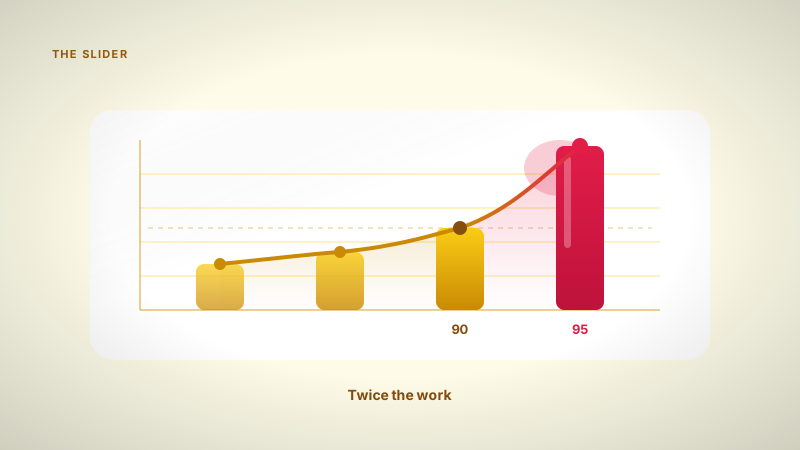
Is a 95% retention rate worth the extra study time?
Pushing your Anki or FSRS retention from 90% to 95% feels better, but it can double your daily workload. I break down the math of diminishing returns.
Hello there! If you are optimizing your flashcard settings, you have likely run into a slider asking for your desired retention. Most students instinctively aim for an A grade, so they set it to 95%. It sounds like a safe bet.
But before we get into the math, a little about me. My name is Daniel. I'm a third year engineering science student at UofT. I spend a lot of my time looking at machine intelligence and building Nebulearn. I work on the product, so I have a clear conflict of interest here, but I also have to look at the scheduling math every single day.
What I found is that the jump from 90% to 95% retention is one of the most expensive mistakes you can make in your study routine.
What desired retention actually means
In modern schedulers like FSRS, the desired retention is the probability you want to have of remembering a card when it comes up for review. If you set it to 90%, the algorithm schedules the card so that you have a 90% chance of getting it right.
This is fundamentally different from a Quizlet session where you might just flip through cards until they feel familiar. In a real spaced repetition system, we are trying to calculate the exact moment of forgetting. You can read more about how this works in my guide on what is FSRS spaced repetition.
The problem is that memory does not decay in a straight line. It decays exponentially. To keep that last 5% of knowledge in your head, you have to intercept the curve much earlier and much more often.
The math of diminishing returns
To understand why 95% is so much harder than 90%, you have to look at the relationship between workload and retention. It is not a 1:1 trade.
If you want to remember 100% of your cards, you would have to review them every few minutes. That is obviously impossible. As you move the slider from 70% up to 90%, your workload increases gradually. But as you push past 90%, the curve spikes.
| Desired Retention | Relative Workload (Approx) | Why it happens |
|---|---|---|
| 85% | 0.7x | Long intervals, higher chance of forgetting. |
| 90% | 1.0x | The "sweet spot" for most students. |
| 95% | 1.8x - 2.5x | Intervals must be significantly shorter to guarantee that extra 5%. |
| 97% | 4.0x+ | You are effectively doing double or triple the work of a 90% user. |
When you move from 90% to 95%, you are not doing 5% more work. You are often doubling your daily review count. You are paying a 100% time tax to get a 5% increase in "stability."
Why I set the Nebulearn default to 90%
When I was building the scheduler for Nebulearn, I had to choose a default. I chose 90%.
I did this because most students are already at their limit. If I give a student 100 cards a day and they stay at 90% retention, they might finish in 15 minutes. If I push them to 95% and that review queue jumps to 200 cards, they are more likely to quit entirely.
Consistency is the most important part of spaced repetition. A 90% retention rate that you actually maintain for a year is infinitely better than a 95% rate that makes you burn out after three weeks. I discuss this balance further in my post on FSRS, Leitner, and SM-2.
When you actually should use 95%
There are specific cases where the extra work is worth the cost. If your deck is very small, say 500 cards for a single mid-term, the absolute workload is low enough that doubling it doesn't matter. You can afford to spend 10 minutes instead of 5.
It also makes sense for foundational concepts. If you are learning the basic syntax of a programming language or the most common 500 words in a new language, you want those to be rock solid. Everything else you learn will build on top of them.
However, if you are a medical student or an engineering student with 10,000+ cards, 95% is a recipe for a 3-hour daily review session. If you find yourself drowning in cards, the first thing you should do is check your FSRS settings and consider dropping that target back to 90% or even 85%.
Anki vs Nebulearn for retention management
If you use Anki, you have total control over this. You can install the FSRS optimizer and see exactly how your workload will change. Anki is great because it gives you the raw data, though it can be a bit overwhelming to configure if you aren't a power user. AnkiMobile is about $25 one-time, while the desktop and Android versions are free.
In Nebulearn, I try to handle that overhead for you. We use FSRS by default because it is simply the most efficient way to learn. Our free tier includes 1000 saved questions and 40 weekly AI credits without ads in the study session. We keep the math behind the scenes so you can focus on the PDF in front of you.
Whichever tool you use, remember that the goal is to spend as little time as possible in the app so you can spend more time applying what you know. If your "due" list is growing faster than your understanding, the retention slider is the first place you should look.