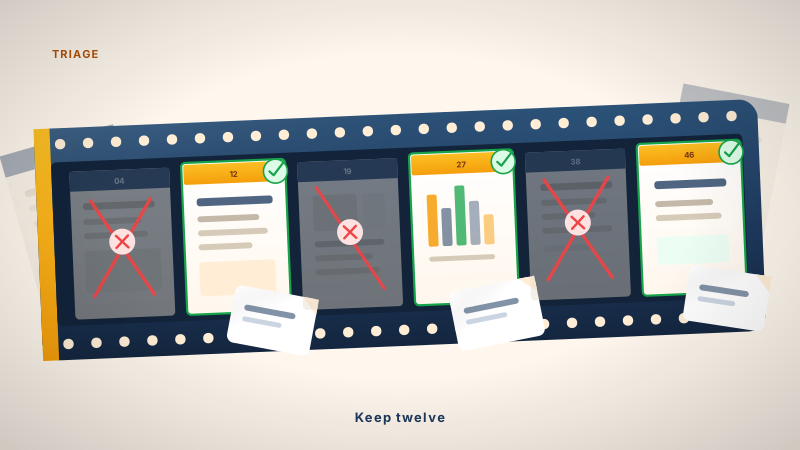
The 50-Slide Lecture Triage: What to card and what to cut
How to make flashcards from lecture slides fast without drowning in low-yield cards. An engineering student's guide to lecture triage.
It is 10:00 PM on a Sunday. You just opened a 50-slide PowerPoint for a lecture you barely followed on Tuesday. You have three more of these to get through before you can even think about starting your practice problems.
The panic response is to card everything. You open Anki or Quizlet and start copying every bullet point, every diagram, and every "fun fact" the professor mentioned. Two hours later, you have 80 cards for one lecture and zero energy left for the next three.
I have been there. I am Daniel, a third year engineering science student at UofT. I work on Nebulearn, so I have a conflict of interest here. The biggest mistake I made in first year was treating my flashcard deck like a transcription service.
If you card everything, you learn nothing. You just build a massive review queue that will break your spirit by Wednesday. You need a triage system.
The definition of triage in a study context
Triage is the process of deciding what gets treated and what gets left behind based on urgency. In a lecture, your "patients" are the concepts on the slides.
When you are making flashcards from lecture notes, you aren't trying to archive the lecture. You are trying to identify the specific facts that you will forget by the exam if they aren't in your spaced repetition system.
If a slide explains a concept you already understand deeply, it does not need a card. If a slide contains a table of data you will be given on a formula sheet, it does not need a card. Every card you make is a debt you have to pay back in review time every morning.
The High-Yield filter
Before you hit "Add" on a card, you have to pass the slide through a filter. I use three specific questions to decide if a concept is high-yield.
- Is this a "How" or a "What"? Facts (What) are great for cards. Processes (How) are often better left for practice problems.
- Is it in the syllabus? Professors love tangents. If it is a slide about the history of the guy who invented the theorem, and the exam is on applying the theorem, skip the history.
- Can I derive it? In engineering, if I can derive a formula in five seconds from first principles I already know, I do not card the formula. I card the first principle.
This filter is the difference between a 20-card deck that covers the essentials and a 100-card deck that feels like a chore.
Why Image Occlusion on every slide is a trap
Image Occlusion is a powerful tool. It lets you block out labels on a diagram and guess them. It is also the fastest way to ruin your study efficiency.
When you are tired, it is tempting to just screenshot every slide, occlude the title or a key diagram, and call it a day. This feels like the fastest way to create flashcards, but it creates "context-dependent" cards. You learn to recognize the slide layout rather than the concept.
If the professor uses a different diagram on the exam, you will blank. Use Image Occlusion for anatomy, circuit symbols, or complex maps. Do not use it for text blocks or simple lists.
The 1-slide 1-card rule
For most lectures, I try to stick to a "1-slide, 1-card" average. Some slides are "title slides" or "bridge slides" that deserve zero cards. Other slides are dense and might need three. But if you find yourself making five cards for a single PowerPoint slide, you are likely over-atomizing or transcribing.
If a slide is too dense, try to find the "Anchor." What is the one piece of information that makes the rest of the slide make sense? Card that.
This constraint forces you to synthesize. Instead of copying three bullet points about the properties of a semiconductor, you write one question: "What are the three defining characteristics of a P-type semiconductor?" This forces your brain to work harder during the review.
Handling the import bottleneck
The physical act of moving text from a PDF or PPT into a flashcard app is where most of the time is wasted.
If you use Anki, you are likely doing a lot of Alt-Tabbing. Anki is great because it is highly customizable and the desktop version is free. AnkiMobile for iPhone is about $25, but it is a one-time cost. However, the manual entry is slow.
Quizlet is faster for entry but their free "Learn" mode is session-scoped. It helps you master a set in one sitting, but it does not have a true long-term due queue unless you pay for Plus. Even then, it does not use the FSRS (Free Spaced Repetition Scheduler) algorithm that is currently the gold standard for memory.
On my side I usually upload the lecture PDF and pick the high-yield slides instead of transcribing. That is not a license to card every bullet. The triage still happens first. If you are already in the slides in Chrome, the in-page capture is the same idea.
Decision Tree: What to do right now
If you are currently staring at a pile of slides, use this logic to get through them:
- The Slide is a definition: Create one card. Term on front, definition on back.
- The Slide is a list of 5+ items: Do not card the whole list. Card the "Why" or the "Most Important" item.
- The Slide is a complex diagram: Use Image Occlusion only if the labels are things you must memorize (e.g. parts of a cell).
- The Slide is an example problem: Do not card it. Move it to a "to-do" list for practice.
By the time you finish the deck, you should have a lean, high-impact set of cards that keeps your spaced repetition session under 15 minutes the next morning.