The 10-minute Quizlet to SRS transition (No technical setup)
How to move your Quizlet sets to a spaced repetition system without the friction of CSV exports or Anki configuration.
Most students stick with Quizlet for the same reason I stayed with my first mechanical keyboard: it was already there, even if it was holding me back. You probably know that Spaced Repetition (SRS) is more efficient for long-term memory than Quizlet's session-based Learn mode. But the "friction tax" of moving your data is high.
If you have a dozen sets on Quizlet, the thought of retyping them or wrestling with CSV formatting feels like a bigger chore than just doing another Quizlet session.
A little about me first. My name is Daniel. I'm a third year engineering science student at UofT. I work on Nebulearn, so I have a conflict of interest here. I built the Nebulearn importer specifically because I hated the 20-minute CSV-to-Anki dance. I wanted something that felt like Quizlet but acted like a real SRS.
Why you are likely avoiding the move
The easiest way to move Quizlet to Anki is usually a third-party browser extension. You install it, log in to Quizlet, scrape your cards, and import the file into Anki.
If you are a power user, this is fine. But for everyone else, this introduces three technical hurdles:
- Finding a working scraper (they break whenever Quizlet updates their site).
- Managing the desktop version of Anki to handle the import.
- Syncing that deck to your phone, which costs about $25 on iPhone for the AnkiMobile app.
This is why most people never make the jump. They see the setup guide and decide that "Mastery" on Quizlet is good enough for tomorrow's quiz. The problem is that Quizlet Learn is session-scoped. It helps you learn the cards today, but it doesn't give you a daily due queue that tells you exactly when you're about to forget a card three weeks from now.
Defining the "No Setup" transition
A true "no setup" transition means you don't retype a single word and you don't install desktop software just to import a file. You want your cards in a system that uses a real scheduler like FSRS (Free Spaced Repetition Scheduler) immediately.
If you want to understand the math behind why that scheduler matters, you can read my post on what is FSRS.
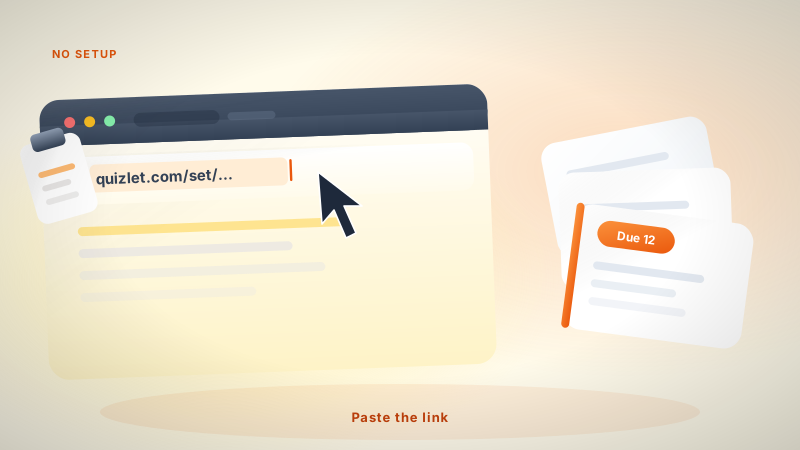
The goal is immediate review. You want to paste a link and start your due queue.
| Feature | Quizlet (Free) | Anki | Nebulearn |
|---|---|---|---|
| Import Method | Manual/Create | CSV or Plugin | Direct URL |
| iPhone App | Free (with ads) | ~$25 one-time | Web/Free |
| Scheduler | Session-based | SM-2 or FSRS | FSRS (Default) |
| Setup Time | Low | High | Low |
If you have the budget and the patience for a desktop client, Anki is the standard. If you're currently in a library and need to study in five minutes, you need a different path.
The fastest ways to move your cards
Depending on your technical comfort, you have two real options for leaving Quizlet without starting from scratch.
Option 1: The Anki CSV route
This is the standard path. You go to your Quizlet set, click the "Export" button (the three dots menu), and copy the text. You then save that as a .txt or .csv file.
The friction here is the formatting. If your cards have images, they won't transfer via CSV. If you have math symbols, they might break. You then have to open Anki on your computer, map the columns (Front, Back, Tags), and sync.
Anki is the winner if you want total control and a massive library of add-ons. If you are a med student using the AnKing deck, stay in Anki. The setup time is a one-time cost for a multi-year degree.
Option 2: The Nebulearn URL import
I built the importer to skip the CSV step entirely. You just copy the URL of your public Quizlet set and paste it into the app.
It pulls the terms and definitions directly into a folder. Because it's web-based, you don't need to sync between a desktop app and a phone. You just log in and start. This is the best route if you are in the middle of a semester and don't have an afternoon to learn a new piece of software.
You can see how this compares in my breakdown of Nebulearn vs Quizlet.
Immediate review vs. retyping
Speeding up the import process only matters if the cards you're moving are actually worth keeping. A common piece of advice in the SRS community is to "always make your own cards." While I agree that making cards effectively is part of the learning process, retyping an existing Quizlet set is just busywork.
Retyping is a low-value activity. If the information is already digital, your time is better spent on the first review session. In a real SRS, that first session isn't just about "getting through" the deck. It's about setting the initial stability for every card.
When you import a set, you should do a "filter pass." Delete the cards that are too easy and split the cards that are too long. Moving from Quizlet to an SRS is the perfect time to audit your cards. Quizlet cards are often too wordy because the app doesn't punish you for long-term forgetting as hard as an SRS does.
Choosing your new home
If you have the $25 for the iPhone app and you enjoy tweaking settings, Anki is the industry standard. It is the most powerful tool for a reason.
If you want the easiest way to move Quizlet without the technical overhead, I paste the set URL and start. Free tier is 1000 saved questions and 40 weekly AI credits. FSRS is on by default, so you are not configuring a scheduler before the first review.
If you're looking for other ways to avoid the "Anki tax," check out my list of the best free Anki alternatives.