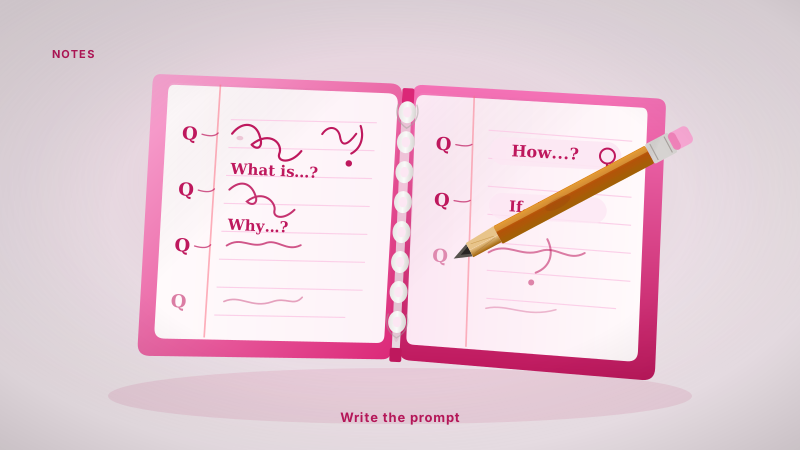
The 'Question-First' Note Taking Method
Stop writing notes you have to re-read. Learn how to take notes for flashcards by writing the prompts during the lecture to avoid storage debt.
Most students take notes so they can study later. I used to do this too. I would sit in a machine intelligence lecture at UofT, transcribe what the professor said into a clean Notion page, and feel productive.
The problem was that my notes were just a pile of "storage debt." I was deferring the actual work of learning until Sunday night. When Sunday arrived, I had to read the notes, understand them again, and then manually turn them into flashcards. It was a double tax on my time.
To take notes for flashcards effectively, you have to stop recording facts and start engineering prompts in real time. This is the Question-First method.
A little about me before we dive in: my name is Daniel. I am a third-year Engineering Science student at the University of Toronto. I also work on Nebulearn, which is a tool I built to solve exactly this bottleneck. Because I work on the product, I have a conflict of interest, but I will show you how to use this method with any tool, including a physical notebook.
The trap of storage debt
Storage debt is the mental and temporal cost of notes that require a "second pass" before they are useful.
When you write a sentence like "The mitochondria is the powerhouse of the cell," you are storing a fact. But storage is not encoding. To learn that fact via spaced repetition, you eventually need a card that asks "What is the powerhouse of the cell?"
If you don't write that question during the lecture, you are leaving yourself a debt. You will have to come back, re-read the sentence, and think of the question later. This gap between hearing the info and creating the card is where most students fall behind. By the time they get around to making cards, the queue is 200 slides long and they just give up and cram.
How the Question-First method works
The Question-First method forces you to think in "Active Recall" units while the information is fresh. Instead of writing a heading and three bullet points of facts, you write the question that would trigger those facts as the answer.
Instead of this:
- Backpropagation: An algorithm used to calculate gradients in neural networks by moving backward from the output layer.
You write this:
- Q: How does backpropagation calculate gradients?
- A: By moving backward from the output layer to the input.
This shift feels slower at first. It requires more cognitive effort because you can't just mindlessly type what the professor says. You have to process the information, find the "question-shaped" core of the concept, and write it down.
However, because you are doing the hard work of understanding the encoding gap during the lecture, you have zero "Sunday debt." Your notes are already flashcards.
Cornell notes for spaced repetition
If you like structured systems, the Cornell method is the closest traditional relative to Question-First note taking.
In a standard Cornell setup, you have a narrow left column for "Cues" and a wide right column for "Notes." Most people use the right side for the lecture and the left side for "keywords" afterward.
To adapt Cornell notes for spaced repetition, you must flip the priority. The left column is for your flashcard prompts. The right column is for the answers.
| Cornell Component | Standard Use | Question-First Use |
|---|---|---|
| Right Column | Detailed transcript of the lecture. | The specific answer to the cue. |
| Left Column | Keywords or summary written later. | The flashcard question written now. |
| Bottom Summary | A 3 sentence overview. | A list of "High-Level" cards or concepts. |
By using the left column for actual questions, you can cover the right side of your paper or screen and immediately test yourself. You have turned a static document into an interactive study tool without any extra software.
Real-time prompt engineering
The secret to making this work is treating your notes like a script for your future self. I call this real-time prompt engineering.
When a professor introduces a new term, your brain should immediately look for the "Flashcard Pattern." There are usually three types:
- The Definition: "What is X?"
- The Comparison: "How does X differ from Y?"
- The Process: "What are the three steps of Z?"
If you hear "Unlike a CPU, a GPU has thousands of smaller cores," don't write that down. Write: "Q: What is the main structural difference between a CPU and a GPU?"
This prevents you from making "leaky" cards that are too long or contain too much information. If you can't turn a lecture point into a clear question within ten seconds, it usually means you don't understand the concept well enough yet. That is a signal to ask a question in class, rather than just transcribing the confusion for later.
Turning notes into cards without the friction
The final hurdle is getting these questions into a spaced repetition system like Anki or Nebulearn.
If you use Anki, you might find yourself copy-pasting from your notes into the "Add" window. This is another form of friction. Anki is incredibly powerful for long-term retention, especially if you are using large shared decks like AnKing. However, for your own daily lecture notes, the manual entry can become a bottleneck.
If your notes are already structured as "Q: ... A: ...", you can often skip the Sunday rewrite. I wanted that document to become a due queue without a second typing session. You can read more in how to make flashcards from lecture notes. The encoding gap I mean is the same one in notes vs cards.
Which tool should you use?
The best tool depends on how much you value customizability versus speed.
- Anki: Best if you want total control, use an Android phone (it is free), or want to use community-made decks. It is the gold standard for long-term power users. Note that the AnkiMobile app for iPhone is about $25, while the desktop and Android versions are free.
- Quizlet: Good for a quick session before a Friday quiz. However, be aware that Quizlet's free "Learn" mode is focused on session mastery (getting through a set once) rather than a long-term spaced repetition calendar. They retired their original Long-Term Learning feature years ago.
- Nebulearn: This is where I spend my time. PDF or lecture notes in, FSRS due queue out, without a weekend of setup.
Regardless of the app, the Question-First method stays the same. If you don't do the work of creating the prompt during the lecture, you aren't saving time; you're just borrowing it from your future self at a high interest rate.